December 12, 2025

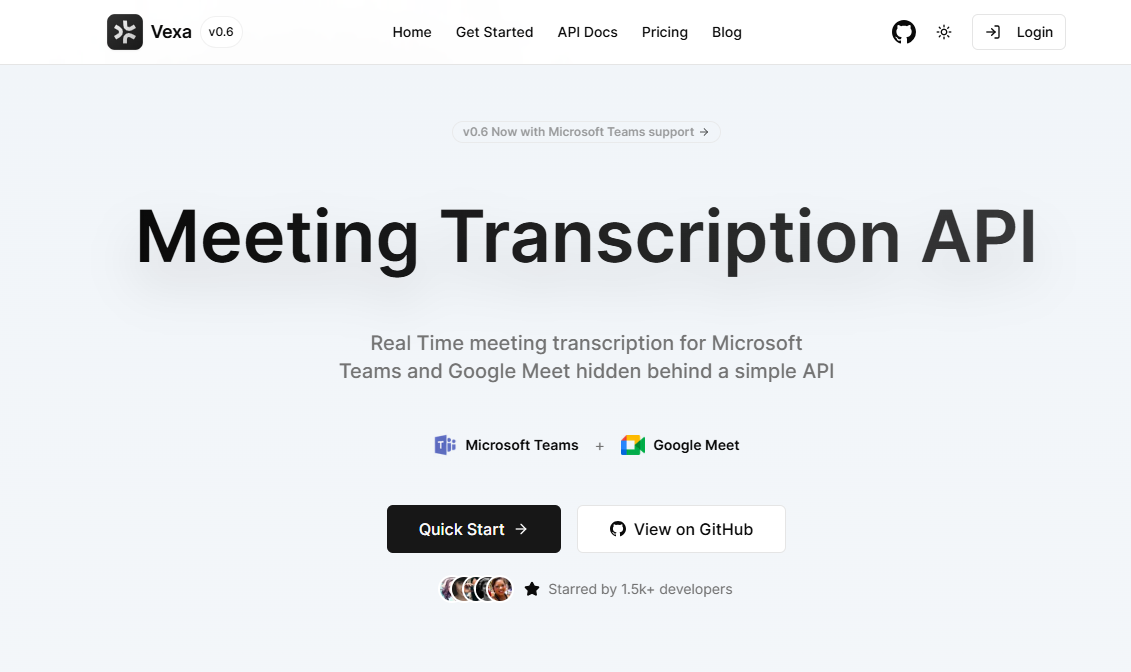

Tired of manually taking notes during important meetings? Imagine an AI assistant that joins your calls and provides perfect transcription in real time. Meet Vexa AI, a powerful tool designed to revolutionize how you capture and use information from your virtual meetings. This guide will walk you through everything Vexa offers, from its core transcription features to advanced workflow automation. Get ready to unlock a smarter way to manage your meeting content.
So, what exactly is Vexa AI and how does it handle meeting transcription? Think of Vexa as your dedicated meeting assistant. It uses a bot that you can invite directly into your Google Meet or Microsoft Teams calls. Once inside, the bot captures the audio from the conversation.
Using advanced Natural Language Processing (NLP), Vexa processes this audio in real time to produce an accurate transcript. This isn't just about converting speech to text; it's about creating a structured knowledge base from your discussions that you can search and reference later.
Integrating Vexa AI with your favorite meeting platforms is surprisingly straightforward. The process begins when you use Vexa’s API to send a request for a bot to join your meeting. You simply provide the meeting ID for Google Meet or the numeric ID and passcode for MS Teams.
Once the command is sent, the Vexa bot joins the call just like any other participant. Its sole purpose is to listen to the audio of the meeting. The AI doesn't need screen sharing or video access; it works entirely by capturing the spoken conversation.
The captured audio is then streamed for real-time transcription. You can receive the live transcript through a WebSocket connection for sub-second updates or retrieve the full text after the meeting using a simple REST API call. This gives you instant access to your meeting notes.
With so many AI note-taking tools available, you might wonder what sets Vexa apart. One of its biggest differentiators is its open-source and self-hostable nature. This gives you complete control over your data, a critical feature for organizations with strict privacy requirements.
Unlike many closed-source tools, Vexa offers unparalleled flexibility. You can build powerful, custom meeting assistants on top of its core technology. The platform is designed to be a foundation for your own unique workflows and integrations.
Key advantages include:
Vexa AI is packed with features designed to make your meetings more productive. At its core is a powerful real-time transcription engine that supports over 99 languages, making it perfect for global teams. This meeting assistant goes beyond simple note-taking by providing a robust platform for automation.
You can leverage its capabilities to create automated summaries, extract action items, and integrate meeting data into your other business tools. This creates a seamless flow of information from conversation to action. Let’s look at some of these capabilities more closely.
One of the most impressive features of Vexa is its ability to perform transcription in real-time. As your meeting on Google Meet or MS Teams unfolds, the AI generates a live text stream of the conversation. This is made possible through a low-latency service that uses advanced NLP to ensure accuracy.
But what do you do with that transcript? Vexa's true power shines when you connect it to other tools to create automated summaries. You can build workflows that take the raw transcript, identify key topics, and generate a concise summary of the discussion.
Yes, Vexa AI is designed for this kind of automation. It integrates smoothly with workflow automation platforms like n8n. You can create a process where a meeting transcript automatically triggers a workflow that summarizes the content and emails it to all attendees, saving you hours of manual work.
Vexa AI is built for workflow automation. Its flexible API allows developers and even low-code builders to connect meeting insights with countless other applications. This transforms your meeting assistant from a passive note-taker into an active participant in your business processes.
The compatibility with tools like n8n is a game-changer for indie builders and teams looking to automate tasks without extensive coding. By connecting Vexa to n8n, you can create powerful automations triggered by your Google Meet sessions.
Here are a few notable use cases:
Ready to bring the power of Vexa AI to your meetings? Getting started is designed to be flexible, whether you're a developer who wants full control or a user looking for a quick solution. You can choose between using the hosted API for a fast setup or self-hosting the entire stack on your own server.
Both paths allow you to integrate the meeting assistant with Google Meet and MS Teams. The choice depends on your needs for speed, customization, and data privacy. Next, we’ll explore how to get each option up and running.
For those who prioritize data control and customization, deploying Vexa AI on your own server is the best option. Thanks to its open-source nature and use of Docker, the setup process is streamlined. The first step is to clone the Vexa repository from GitHub.
Once you have the code on your server, navigate into the project directory. The Vexa team has simplified the deployment with a single command: make all. This command builds all the necessary Docker images and starts the services. By default, it sets up a CPU-based environment, which is great for development.
For better performance in a production environment, you can specify a GPU target with make all TARGET=gpu. This utilizes a more powerful AI model for higher-quality transcriptions. After deployment, you can generate an API key and start sending bots to your meetings right from your own infrastructure.
Integrating Vexa AI into your Google Meet or MS Teams calls is managed through its REST API. The first step is to get your API key, either from the hosted Vexa dashboard or by generating one on your self-hosted instance. This key authenticates your requests.
With your API key ready, you can send a POST request to the Vexa API to dispatch a bot to your meeting. You'll need to specify the platform and provide the meeting details.
Here’s what you need for each platform:
xxx-xxxx-xxx) in the native_meeting_id field.Once the bot joins, it starts capturing audio for transcription, which you can then access via the API. This simple integration process is the first step toward building powerful meeting workflows.
One of Vexa AI's most compelling aspects is its commitment to being open source and self-hostable. This empowers you to run the entire transcription service on your own server, giving you ultimate control over your data and how the system operates. For enterprises concerned with data sovereignty, this is a crucial advantage.
The project is built primarily with Python and is available under a permissive Apache-2.0 license, encouraging both personal and commercial use. This approach fosters a community of contributors and allows you to customize the AI to fit your exact needs.
Yes, Vexa AI is an open-source project. You can find the complete source code, primarily written in Python and TypeScript, on its official GitHub repository. This transparency allows you to inspect the code, understand how it works, and even contribute to its development.
The project is managed under the Vexa-ai/vexa repository on GitHub. This is the central hub for the entire project, containing everything you need for self-hosting, from the bot code to the API gateway.
Vexa is released under a business-friendly license, making it easy to adopt. Here are the key details:
Resource
Location
Source Code
https://github.com/Vexa-ai/vexa
License
Apache-2.0 License
The Apache-2.0 license grants you the freedom to use, modify, and distribute the software for any purpose, including commercial applications, as long as you comply with its terms.
Self-hosting Vexa AI allows you to run your own private transcription service for both Microsoft Teams and Google Meet meetings. The process is designed to be straightforward for anyone comfortable with the command line and Docker.
First, ensure you have Git and Docker Compose installed on your server. Then, start by cloning the official repository from GitHub to your local machine or server. This will download all the necessary code and configuration files for the deployment.
After cloning, follow these simple steps:
vexa directory in your terminal.make all. This will build the Docker containers and start all the microservices required for the AI to function.make all TARGET=gpu if your server has a compatible GPU.Once the deployment is complete, you can generate your own API keys and begin sending transcription bots to your meetings using your own private Vexa instance.
When considering a new tool like Vexa AI, it's natural to think about pricing and how it compares to other options on the market. Vexa offers a flexible model that caters to different types of users, from solo developers to large enterprises.
While Vexa provides a unique open-source path, it's also helpful to know about other AI tools available for meeting transcription and notes. Understanding the landscape can help you make the best decision for your specific needs and budget. Let's explore Vexa's pricing structure and some popular alternatives.
Vexa AI provides two main pathways for using its transcription services, which function as its pricing options. The choice depends on your technical comfort, budget, and data privacy needs. There isn't a traditional tiered subscription model like many SaaS products.
The first option is the hosted API. This is the fastest way to get started, allowing you to begin transcribing meetings in just a few minutes. You simply sign up on the Vexa website to get an API key. This model is likely based on usage, though specific costs are found on their site.
The second option is self-hosting, which is free in terms of software costs since Vexa is open-source. However, you will be responsible for the costs of the server infrastructure required to run it.
Option
Cost Structure
Best For
Hosted API
Usage-based pricing (pay-as-you-go)
Teams and developers wanting a quick, managed solution.
Self-Hosted
Free software; you pay for your own server.
Enterprises and users needing data privacy and full control.
While Vexa AI offers a powerful and flexible solution, several other tools also specialize in AI transcription and note-taking for meetings on platforms like Zoom, Google Meet, and MS Teams. These alternatives often come with different feature sets and pricing models.
One of the most well-known alternatives is Otter.ai, which provides real-time transcription, summaries, and collaboration features. Another popular tool is Krisp, which focuses on noise cancellation but also includes transcription capabilities as part of its meeting assistant.
Here are a few other alternatives to consider:
The real value of Vexa AI emerges when you integrate it into your daily professional workflows. It's more than just a transcription service; it's a meeting assistant that can drive efficiency and improve collaboration, especially for remote teams.
From automating post-meeting recaps to creating a searchable archive of all your conversations, the use cases are vast. By connecting Vexa's transcription output to other systems, you can unlock new levels of productivity. Let's examine how it helps with recaps and enhances team collaboration.
For remote teams, keeping everyone aligned after a meeting can be challenging. Vexa AI helps solve this by automating the creation of recaps and action items. By setting up a simple workflow, you can ensure no decision or task gets lost.
Imagine finishing a project call and having a summary and list of action items automatically generated from the transcription. This AI-powered meeting assistant can identify key phrases like "we need to" or "the next step is" to pull out tasks and assignees.
This automation can transform your follow-up process. Here are a few examples:
Effective collaboration relies on shared knowledge and easy access to information. Vexa AI enhances this by turning your spoken conversations from Google Meet and MS Teams calls into accurate and fully searchable transcripts.
Instead of relying on fragmented notes or people's memories, your team gets a perfect record of every discussion. Did someone miss a meeting? They can quickly read the transcript. Need to recall a specific detail or decision from last quarter? Just search for a keyword across your entire meeting history.
This creates a powerful knowledge base built from your team's own conversations. The AI does the heavy lifting of capturing the information, allowing your team to focus on putting that information to use. This level of accessibility ensures everyone is on the same page and reduces miscommunication.
KeywordSearch has an AI Audience builder that helps you create the best ad audiences for YouTube & Google ads in seconds. In a just a few clicks, our AI algorithm analyzes your business, audience data, uncovers hidden patterns, and identifies the most relevant and high-performing audiences for your Google & YouTube Ad campaigns.
You can also use KeywordSearch to Discover the Best Keywords to rank your YouTube Videos, Websites with SEO & Even Discover Keywords for Google & YouTube Ads.
If you’re looking to SuperCharge Your Ad Audiences with AI - Sign up for KeywordSearch.com for a 5 Day Free Trial Today!
In conclusion, Vexa AI is revolutionizing the way we handle meeting transcription by offering a seamless, efficient solution that integrates well with platforms like Google Meet and Microsoft Teams. With real-time transcription capabilities and automated meeting summaries, it not only saves time but also enhances collaboration within teams. Whether you choose to self-host or opt for the various pricing tiers available, Vexa AI provides flexibility to meet your specific needs. By utilizing this innovative tool, you can ensure that every meeting is accurately captured, allowing you to focus on what truly matters—effective communication and decision-making. To explore how Vexa AI can transform your meeting workflows, get a free demo today!
Yes, absolutely. Vexa AI is ideal for organizations with high data privacy standards because it offers a self-hosting option. This allows you to deploy the entire system on your own infrastructure, ensuring that all meeting data and transcriptions remain within your control to meet compliance needs.
When you use the self-hosted version of Vexa AI, you have full control over data storage. The platform processes audio to create the transcription, but you determine the policies for storing or deleting any meeting content. The hosted version's policy should be verified on their website.
You can start transcribing meetings very quickly. With the hosted API option, the setup process takes as little as five minutes. You just need to sign up for an API key and you can begin sending a Vexa bot to your Google Meet or MS Teams meetings right away.