January 17, 2026

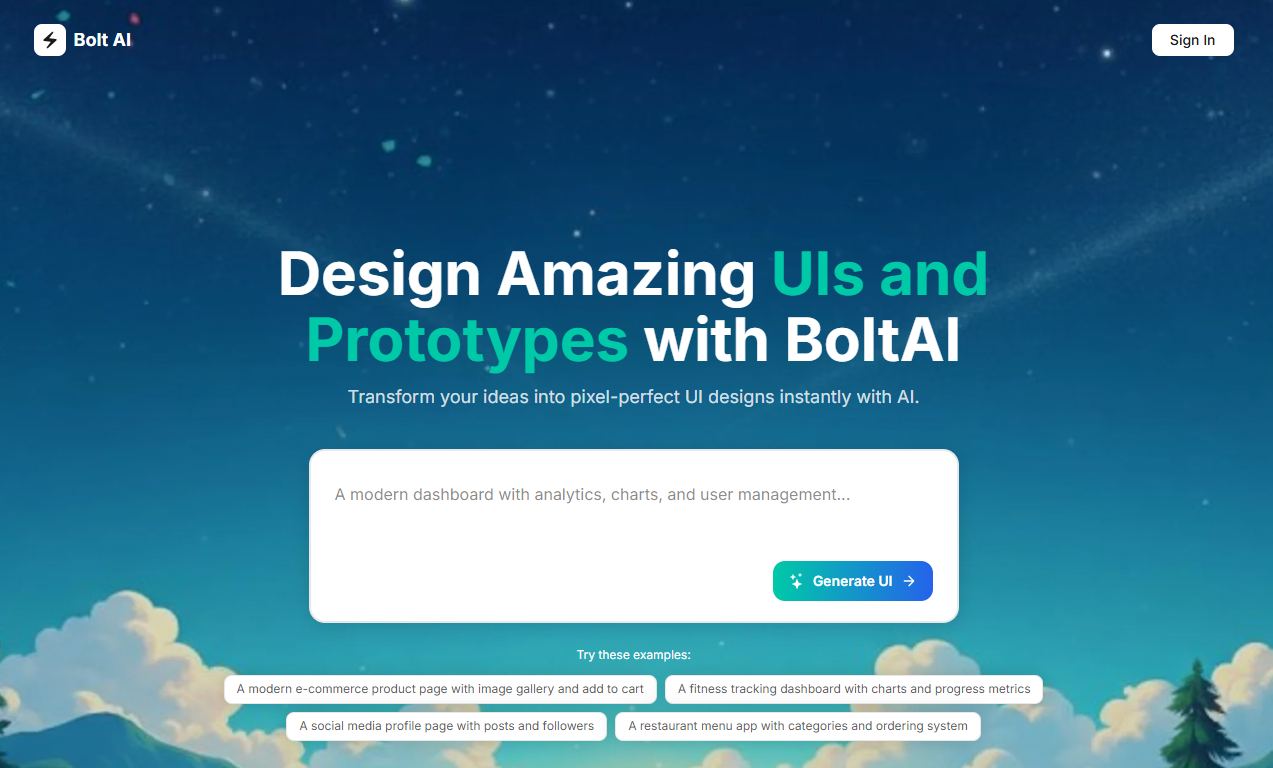

The world of app development is rapidly changing, and artificial intelligence is leading the charge. What if you could build a fully functional application just by describing it in plain English? This is no longer a futuristic dream but a present-day reality. Tools like Bolt AI are revolutionizing how we approach development, making it faster and more accessible than ever. This guide will walk you through how you can leverage this powerful AI to bring your app ideas to life seamlessly.
Bolt AI is a game-changing AI tool designed to accelerate web development. It operates in your browser and lets you build complete, full-stack applications by simply typing out what you want. Imagine describing a CRM with a Kanban board and watching Bolt AI generate the necessary code and database structure instantly.
This approach dramatically simplifies the app development process. By focusing on an intuitive user experience and powerful code generation, Bolt AI bridges the gap between having an idea and creating a working product, making it a valuable asset for developers and entrepreneurs alike.
So, what is Bolt AI exactly? Also known as Bolt.new, it is a browser-based platform that uses powerful large language models to interpret your text prompts and build a full-stack AI app. You describe your application's features, and Bolt AI’s code generation engine gets to work, creating the frontend, backend, and database for you.
Its sudden popularity stems from its incredible simplicity and speed. Developers appreciate how it eliminates boilerplate code, while non-technical users love that they can create a minimum viable product (MVP) without writing a single line of code. This powerful combination makes app development faster and more accessible.
Unlike other tools that might only handle the frontend, Bolt AI provides end-to-end generation. This means you get a truly functional application, not just a pretty interface. This comprehensive approach is a major reason it has captured the attention of the tech community.
Bolt AI is making a significant impact on the app development world by turning complex processes into simple conversations. By using natural language prompts, you can instruct the platform to build what you need, making the creation of an AI app feel more intuitive and less technical. This method is perfect for rapid prototyping, allowing you to test business ideas quickly.
The core of this transformation is automated code generation. Instead of spending hours or days writing foundational code, you get a working structure in seconds. This speed allows you to focus more on refining your app's features and user experience rather than getting stuck on the initial setup.
Absolutely, even if you have no coding experience, Bolt AI can help you create a website or web app. Its user-friendly interface and prompt-based system mean you can build a functional product without needing to understand React or Node.js, opening up the world of app creation to a much broader audience.
As a versatile app builder, Bolt AI is packed with features designed to streamline your workflow. Its standout capability is prompt-to-app code generation, which builds your entire application—frontend, backend, and database—from a simple text description. This core function is what makes the development process so incredibly fast.
Beyond generation, the platform includes a visual editor that allows you to tweak layouts, text, and logic without touching the code, ensuring a great user experience. These Bolt AI features provide a powerful yet flexible environment for building your next project. Let's explore some of these capabilities in more detail.
For beginners, Bolt AI's no-code features are a major draw. You don't need a technical background to get started. The platform was designed to be accessible, allowing anyone to bring their app ideas to life. If you can describe what you want, you can build it. This is a significant step forward in making app development more inclusive.
The visual editor is a key component for non-coders. It provides a drag-and-drop-style interface where you can adjust your app's appearance and functionality visually. This hands-on approach helps you understand how different elements work together without getting lost in complex code.
Bolt AI empowers beginners by offering:
One of the most powerful aspects of Bolt AI is its ability to perform end-to-end code generation. This powerful AI tool doesn't just create a user interface; it builds the entire technology stack for your application. You receive fully functional backend logic, a database schema, and API endpoints, making your project practical from the start.
The generated code is clean, production-ready, and based on popular, modern technologies. This means you aren't locked into a proprietary system. You own the code and can host it wherever you like. The typical technology stack generated by Bolt AI includes:
Component
Technology Used
Frontend
React + Tailwind CSS
Backend
Node.js + Express
Database
PostgreSQL with Prisma
Hosting
Vercel or self-hosting
Furthermore, Bolt AI is designed to work with other essential integration tools. It connects with services like Figma for design, Supabase for databases, and GitHub for version control, ensuring it fits smoothly into a broader app development workflow. This makes it a comprehensive solution for building and managing your applications.
Feeling inspired to build your first AI app? Getting started with Bolt AI is straightforward, but a little preparation goes a long way. Before you jump in, it's helpful to have a clear app idea and a basic outline of your project requirements. This will help the AI better understand your vision and generate a more accurate starting point.
This preparation phase ensures a smoother app development journey. By defining what you need upfront, you can make the most of Bolt AI's powerful features. The following sections will provide a detailed guide on what you need and how to set up your workspace for success.
Before you dive into the app development process, let's cover the essential preparation steps. The first thing you'll need is a Bolt AI account. You can sign up on their website to gain access to the platform and its features. It’s a good idea to explore any free trial or tier to get a feel for the tool.
Next, gather your resources. This means having a clear idea of your project requirements. Think about what your app will do, who it's for, and what key features it needs. If your app will use specific data, like customer information or product lists, have that information ready to guide the AI.
To ensure a smooth start, make sure you have the following:
Once you have your account, the next step is to set up your workspace. This is your central hub within Bolt AI where you will manage your projects. A well-organized workspace makes the entire app development process more efficient, allowing you to focus on building rather than searching for files or settings.
Familiarize yourself with the main dashboard. This is where you will initiate new projects and access existing ones. The initial setup is designed to be intuitive, guiding you through the first steps of creating an application. Take a moment to look around and understand the layout before you start building.
Pay attention to the different sections, such as the area for writing prompts and the live preview panel. Understanding how to navigate between your instructions and the visual editor will be key to creating a great user experience. A proper setup from the beginning paves the way for a seamless and productive building session.
Now that you're prepared, it's time to walk through the process of building an app with Bolt AI. This step-by-step guide is designed to take you from a blank slate to a deployed application. By following these instructions, you'll see how the AI model interprets your commands to perform code generation.
The process is centered on a simple workflow: describe, customize, and deploy. You'll interact with the platform's visual editor to refine the initial output, ensuring the final product matches your vision and provides an excellent user experience. Let's begin with the very first step.
Your journey begins at the Bolt AI website. The first task is to sign up for an account. This process is typically quick, requiring just a few details to get you into the system. Once your registration is complete, you'll land on the main page, which serves as your project dashboard.
Take some time to explore the user interface. You'll notice it's designed for clarity and ease of use. Look for key elements like the project creation button, your account settings, and any tutorials or documentation offered. Understanding the layout will make your development process much smoother.
As you navigate, pay attention to these areas:
With your workspace ready, it's time for the magic to happen. Start by creating your first app prompt. This is where you tell the AI what to build. Be as descriptive as possible. For example, instead of just "build a task manager," try "Build a project management app with a Kanban board for tasks and user authentication."
As you type, the natural language models get to work, and you will see your AI app appear in the live preview window. This instant feedback is one of Bolt AI's most powerful features, as it allows you to see the results of your prompt in real time.
You can then customize the output. If the initial version isn't quite right, you can either refine your prompt or use the visual editor to make changes.
After creating and customizing your app, the final phase is to refine, test, and deploy it. Use the visual editor and code access to make final tweaks. This could involve adding custom logic, adjusting the database schema, or perfecting the user authentication flow to ensure everything works as intended.
Thoroughly test your application. Click through every button, fill out every form, and try every feature to ensure there are no bugs. This step is crucial for delivering a high-quality product. Once you're confident that your app is working perfectly, you can proceed with app deployment.
Deploying your app is simple. Bolt AI offers integration with platforms like Vercel, allowing you to get a live URL with just a few clicks.
KeywordSearch has an AI Audience builder that helps you create the best ad audiences for YouTube & Google ads in seconds. In a just a few clicks, our AI algorithm analyzes your business, audience data, uncovers hidden patterns, and identifies the most relevant and high-performing audiences for your Google & YouTube Ad campaigns.
You can also use KeywordSearch to Discover the Best Keywords to rank your YouTube Videos, Websites with SEO & Even Discover Keywords for Google & YouTube Ads.
If you’re looking to SuperCharge Your Ad Audiences with AI - Sign up for KeywordSearch.com for a 5 Day Free Trial Today!
In conclusion, using Bolt AI for your app development journey can significantly streamline the process, making it accessible to both beginners and seasoned developers. With its no-code capabilities and comprehensive integration tools, you can create powerful applications without prior coding experience. The user-friendly interface simplifies each step, from setting up your workspace to launching your app. As you harness the power of Bolt AI, you not only save time but also unlock endless possibilities for innovation. Ready to take the plunge? Get started with a free trial today and experience the future of app development firsthand!
Yes, you can absolutely use Bolt AI without coding experience. Its no-code capabilities and intuitive visual editor are designed for beginners. You can build a complete AI app by describing what you want in plain English, making it a great tool for creating a fantastic user experience without writing code.
Unlike many no-code platforms that lock you into their ecosystem, Bolt AI provides the full source code. It strikes a unique balance between automation and control, generating a complete full-stack application that you can customize and host anywhere. This makes it more flexible for serious app development projects.
Yes, Bolt AI offers a free plan that is perfect for a trial period. It includes limited generations and access to the visual editor, allowing you to test the platform's capabilities before committing to a paid plan. This is a great way to start your app development journey.
Yes, Bolt AI excels at building full-stack applications. It generates not only the frontend but also the backend logic and database setup. The platform creates a complete backend database structure, making it a powerful tool for end-to-end app development, from user interface to server-side functionality.