January 21, 2026

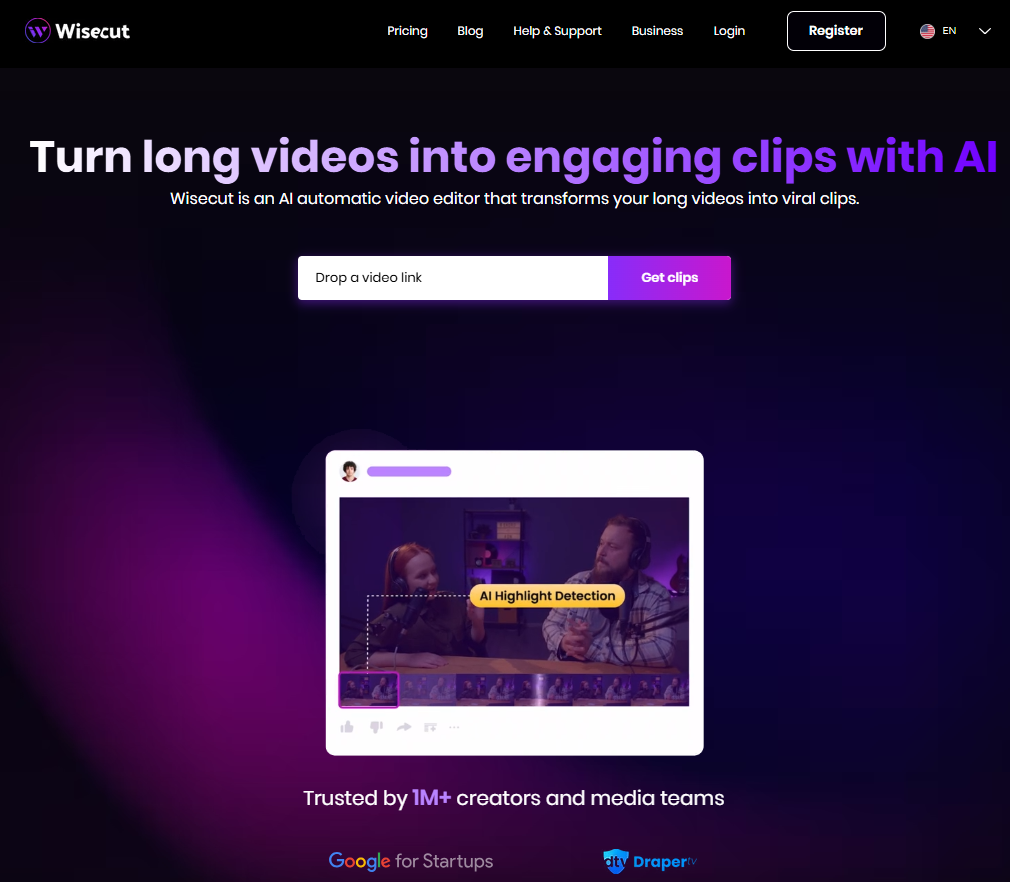

Are you tired of spending countless hours on video editing? For many, the content creation journey is slowed down by the technical and time-consuming task of editing footage. What if you could simplify this entire process? AI video editing tools are changing the game, making it easier than ever to produce high-quality videos without the steep learning curve. Wisecut is one such tool, designed to automate the hard parts of editing so you can focus on what you do best: creating.
Wisecut is an innovative tool that uses artificial intelligence to streamline and automate your video editing. Think of it as your personal AI video editor that takes your long-form videos and automatically cuts them into shorter, more engaging clips perfect for sharing. This tool is built for content creators, marketers, educators, and anyone looking to save time on editing without sacrificing quality. It's truly changing the world of video editing for those without extensive technical skills.
How does it simplify the editing process? Instead of you manually searching for awkward pauses or the most interesting parts, Wisecut’s AI does the heavy lifting. It identifies highlights, removes silences, adds background music, and even generates subtitles. This allows you to bypass the most tedious parts of editing and move straight to refining your final product. This intelligent approach makes video content creation faster and much more accessible.
The primary goal of Wisecut is to simplify the editing process for creators of all skill levels. It handles the most time-consuming tasks, giving you back valuable hours. This ease of use is one of its standout qualities.
Imagine uploading your raw footage and letting the software do the initial cut. Wisecut’s AI takes on the heavy lifting by automatically trimming out long pauses and creating jump cuts, which instantly makes your content more dynamic and watchable.
For anyone involved in video content creation, this level of automation is a massive advantage. You no longer need to be a professional editor to produce polished videos. The platform’s intuitive design means you can achieve impressive results quickly, allowing you to focus more on your creative ideas rather than getting stuck on technical details.
When it comes to supported devices, Wisecut offers excellent accessibility. As a cloud-based platform, it works directly in your web browser. This means you can access your projects from any desktop computer with an internet connection, whether it's a PC or a Mac.
Are you wondering if you can use it on the go? Because Wisecut is web-based, you can also access it on a mobile device through its browser. While a dedicated mobile app might offer a different experience, the web interface provides flexibility for making edits from your phone or tablet when you’re away from your primary workstation.
This approach ensures that you aren’t tied to a single machine. The platform’s focus on browser-based accessibility makes it a versatile tool for creators who work across different devices and locations, ensuring your editing workflow is never interrupted.
Jumping into a new video editor can sometimes feel overwhelming, but getting started with Wisecut is designed to be a smooth process. The platform prioritizes a simple workflow, allowing you to go from raw footage to an edited video in just a few steps. You don't need extensive tutorials to begin your editing experience.
Let's walk through the initial steps, from creating your account to uploading your first video for automatic editing. You'll see just how quickly you can integrate Wisecut into your content creation routine.
Your first step is the account setup, which is as simple as signing up on the Wisecut website. You can create a new account with your email or use a Google account for even faster access. There is no complicated installation or download required because Wisecut is a cloud-based tool.
If you're looking to use Wisecut on your Android or other mobile device, you don't need to search for an app in the app store. Simply open your phone's web browser, navigate to the Wisecut site, and log in. This browser-based accessibility means you can start editing without using up storage space on your device.
Once you’re logged in, you’ll be greeted by a clean and user-friendly interface. The dashboard is designed to be intuitive, guiding you directly to where you need to go to start a new project. This straightforward setup ensures you can begin editing right away.
After setting up your account, you can start the automatic editing process by uploading your footage. Wisecut gives you a couple of easy options for getting your video into the system, making the workflow incredibly efficient.
You can either upload a video file directly from your computer or, for even greater convenience, import a video using a link. This is perfect if your content is already hosted on platforms like YouTube. The supported methods streamline how you bring your raw footage into the editor.
To get started, simply:
Once your video is uploaded, the AI gets to work, automatically identifying key moments and creating a first draft for you.
What truly makes Wisecut an innovative tool are its essential AI-powered features. While many editors offer basic cutting and trimming, Wisecut’s approach to AI video editing automates the most tedious parts of the job. These advanced features are designed to save you time and enhance your final product with minimal effort.
From analyzing your speech to adding the perfect background music, the platform is packed with smart capabilities. Let's look at some of the key features that make Wisecut a powerful ally for any content creator.
One of the most powerful features in Wisecut is its ability to Auto Cut Silences. Awkwardly long pauses can make a video feel slow and unprofessional. The AI automatically detects and removes these silences, creating a much smoother and more engaging viewing experience without you having to manually snip every gap.
In addition, the Smart Highlight Detection feature is a game-changer for your video editing workflow. The AI analyzes your footage and identifies the best moments, automatically generating short, shareable clips. This is perfect for creating promotional teasers or social media content from longer videos.
Together, these features ensure that your videos are punchy, well-paced, and focused on the most impactful parts of your message. You can trust the AI to do the initial work of finding and presenting the highlights, saving you hours of review time.
To maximize your reach, your videos need to be accessible. Wisecut helps with this by providing automatic subtitles and captions. Using advanced voice recognition technology, the platform transcribes the speech in your video with up to 95% accuracy. This saves you from the tedious task of typing out captions manually.
Do you want to connect with a global audience? Wisecut also offers translations for your subtitles into several languages, including Spanish, French, and Portuguese. This feature breaks down language barriers and helps you expand your viewership to a broader audience across the world.
The generated captions are also editable, so you can easily make tweaks to ensure perfect accuracy. This combination of voice recognition, auto-subtitles, and translations is a powerful tool for enhancing accessibility and engagement.
While Wisecut’s automation is impressive, you always have the final say. After the AI creates the initial cut, you can easily jump in and start customizing your video. The platform offers a suite of intuitive editing tools that allow you to make tweaks and personalize your content.
Whether you're preparing a video for YouTube, Instagram, or other social media channels, these customization options ensure your final product aligns perfectly with your vision. Let's explore how you can refine your videos using Wisecut's user-friendly editing features.
Wisecut introduces a unique and intuitive way to edit your videos: through a storyboard. Instead of a traditional timeline, the platform generates a text-based storyboard from your video's transcription. This means you can edit your video by simply editing the text.
Want to rearrange scenes? Just move the text blocks around. Need to cut a sentence? Delete it from the transcript, and the corresponding video clip is removed. This workflow makes it incredibly easy to shape the full narrative of your video without needing complex editing skills.
This approach is especially suitable for creating social media content. You can quickly reorder key points, trim sections, and build a compelling story that grabs attention fast. The storyboard-based editing tools put you in complete control, making the final stages of editing both simple and powerful.
Great audio quality can make or break a video. Wisecut helps you enhance your audio with its Smart Background Music feature. The AI automatically selects royalty-free background music that fits the tone of your video, so you don't have to worry about copyright strikes on platforms like YouTube.
To ensure your voice remains clear, Wisecut includes an automatic audio ducking option. This intelligent feature lowers the music volume whenever someone is speaking and raises it during pauses. This creates a balanced and professional audio mix without any manual adjustments from you.
By handling both music selection and volume levels, this feature elevates the overall production value of your content. You get the benefit of emotional, engaging background music without sacrificing the clarity of your spoken message, a key component of high-quality video.
Understanding the pricing structure is important when choosing any new tool. Wisecut offers several plans, including a free plan that serves as a great starting point. This allows you to test the platform’s core features before committing to a paid subscription. The tiered pricing is designed to cater to everyone from beginners to professional creators, making the tool accessible to a wider audience. The platform is readily available for users in the United States and globally.
The plans are structured to scale with your needs, offering more processing time and higher resolutions as you move up. Here is a quick look at the main options available:
Wisecut’s subscription model includes flexible plans to suit different user needs. Yes, there is a free version available, which is perfect for trying out the software. The free plan provides access to basic features but comes with limitations, such as a watermark on your final videos and a lower 720p resolution.
For those who need more power, the paid plans offer significant advantages. The Starter plan is ideal for creators who are just beginning to produce content regularly, as it removes the watermark and increases the resolution to 1080p. It also provides more monthly processing time.
The Professional plan is geared toward serious content creators and marketers who require higher volumes and top quality. With 4K resolution and priority support, this subscription ensures you have the resources to produce professional-grade content consistently. Each paid tier is designed to support your growth as a creator.
KeywordSearch has an AI Audience builder that helps you create the best ad audiences for YouTube & Google ads in seconds. In a just a few clicks, our AI algorithm analyzes your business, audience data, uncovers hidden patterns, and identifies the most relevant and high-performing audiences for your Google & YouTube Ad campaigns.
You can also use KeywordSearch to Discover the Best Keywords to rank your YouTube Videos, Websites with SEO & Even Discover Keywords for Google & YouTube Ads.
If you’re looking to SuperCharge Your Ad Audiences with AI - Sign up for KeywordSearch.com for a 5 Day Free Trial Today!
In conclusion, Wisecut AI is a groundbreaking tool that revolutionizes the video editing process for creators of all levels. Its intuitive features, such as auto-cutting silences and smart highlight detection, streamline editing tasks, making it easier than ever to produce engaging content. With mobile and desktop accessibility, you can effortlessly edit videos on the go or at your desk. Whether you’re preparing content for social media or professional projects, Wisecut AI offers the flexibility you need. If you're ready to elevate your video editing experience, don’t hesitate to explore the free trial options available to see how Wisecut AI can enhance your workflow!
Yes, Wisecut is a practical tool for both. Its ease of use and automated features make it perfect for beginners who want a great editing experience without a steep learning curve. While professionals may miss some advanced manual controls, its time-saving capabilities make it a valuable asset for quick edits and initial drafts.
Absolutely. Wisecut is an ideal video editor for creating content for social media platforms. It can help you quickly transform longer videos into short, engaging clips perfect for TikTok, Instagram Reels, and YouTube Shorts. The AI-powered features are designed to optimize content for these fast-paced platforms.
If you need help, Wisecut provides customer support through email. You can also visit the platform’s help center, which contains helpful tutorials and guides to get you started. Users on the Professional plan receive priority support for quicker assistance with their questions.